
The platform
One system for the first hour.
Situation, decision, approval and sending build on one another. Here you can see each feature with a real image from the demo tenant.
Situation
Situation picture and dispersion
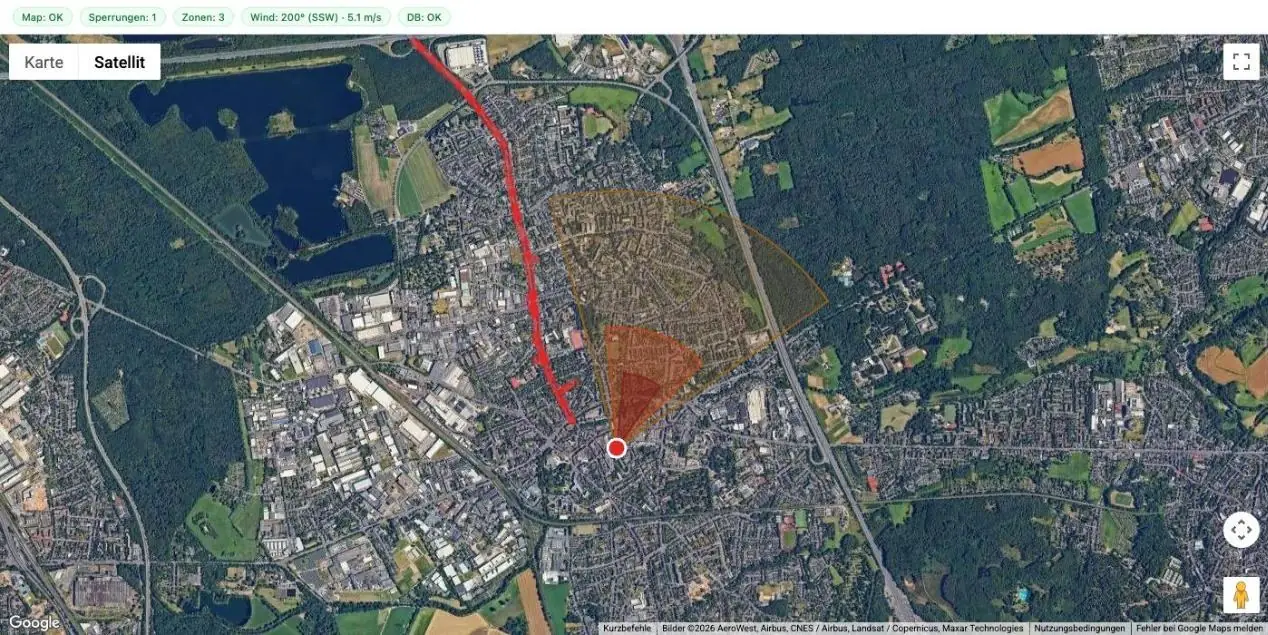
In a chemical release, the situation map shows where a cloud is spreading. Weather data feeds into the calculation, and zones and closures appear on the same map.
- Dispersion calculation with wind direction and wind speed
- Zones and closed roads on the map
- Map and satellite view
- The situation map belongs to the incident and remains documented
Demo tenant, demo data
Decision
FORDEC in the crisis team
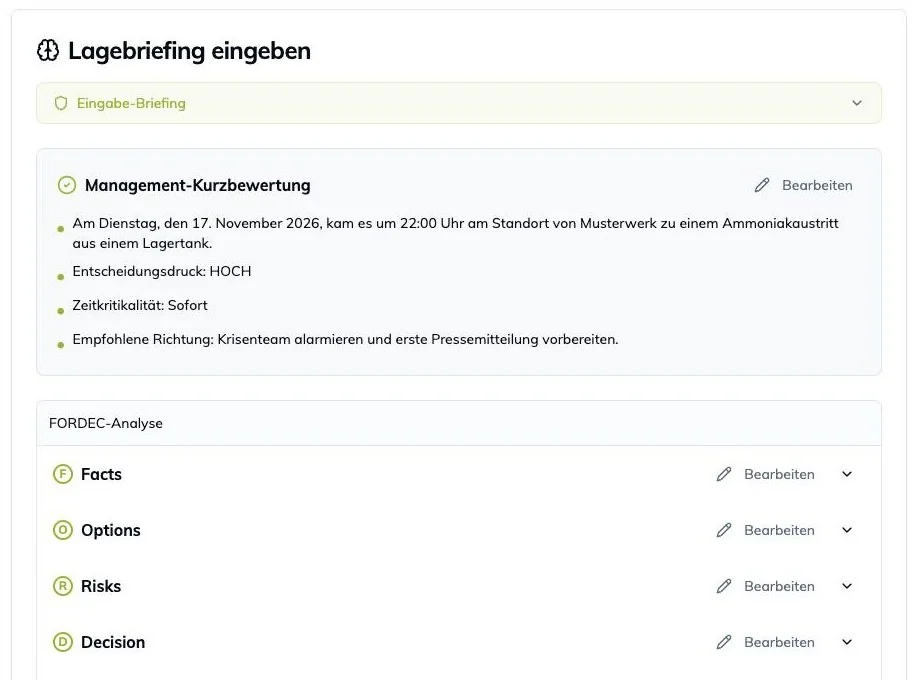
The FORDEC assistant guides the crisis team from the situation briefing to the decision. Every step is recorded.
- Situation briefing as the starting point
- Short management report with pressure to decide and recommended direction
- Facts, Options, Risks, Decision, step by step
- Handing over the result to the incident
Demo tenant, demo data
Execution
Measures in the incident
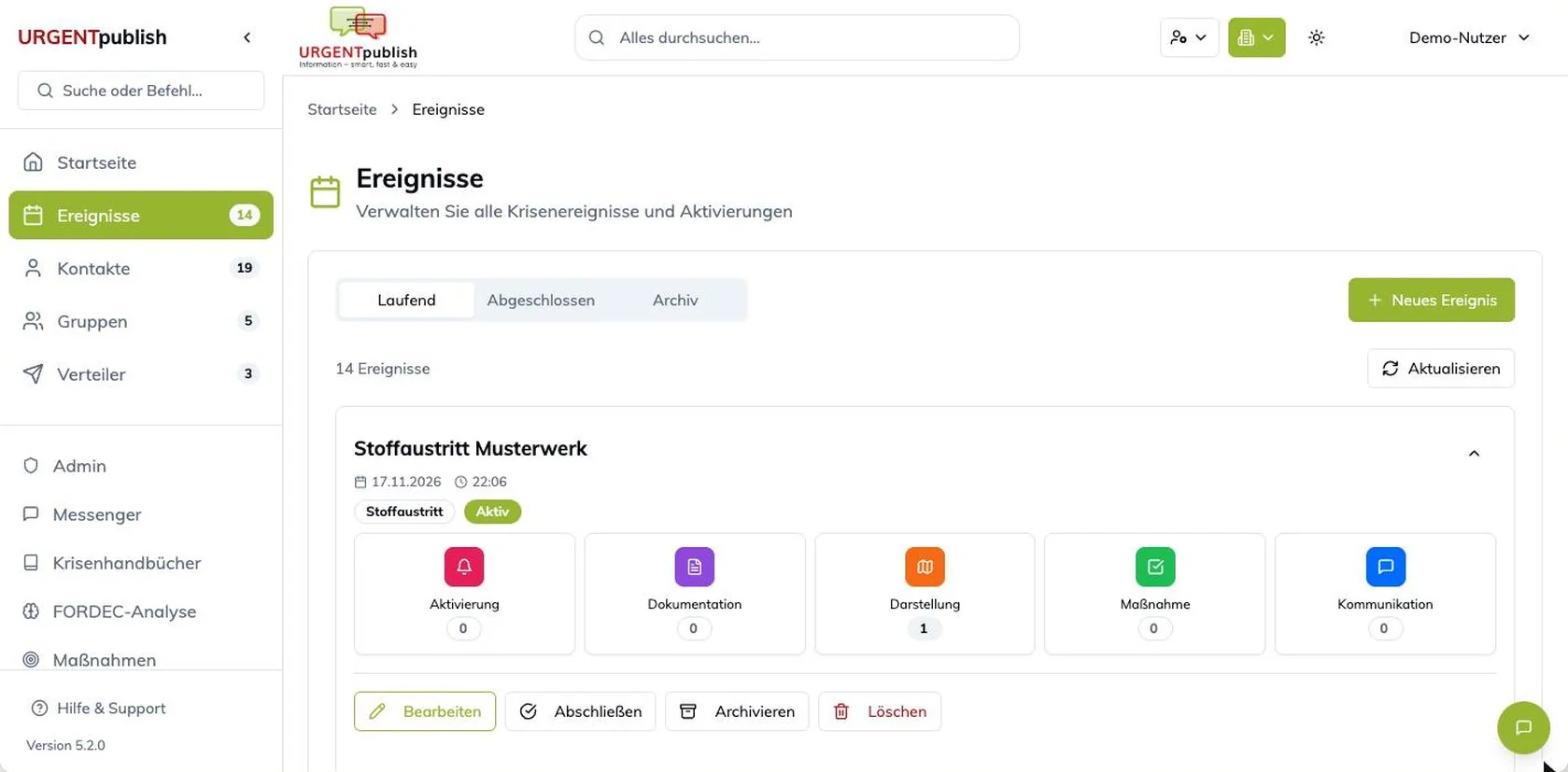
Every incident brings together activation, documentation, visualisation, measures and communication. This lets the crisis team see what has been decided and what is still open.
- Plan, assign and follow up measures
- Ongoing, closed and archived incidents
- Documentation for later review
Demo tenant, demo data
Texts and AI
AI support with data protection check
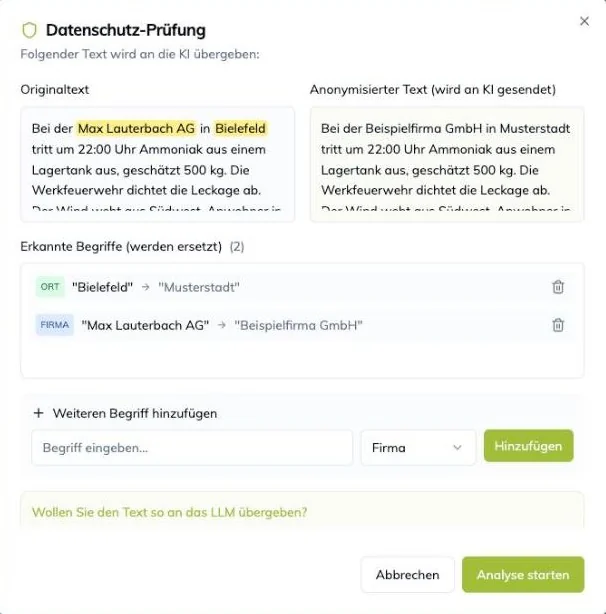
Before text is sent to the AI, URGENTpublish replaces company names and places with neutral placeholders. After the analysis, the real details are put back in.
- Data protection check before every AI analysis
- Text templates with variables for your company data
- Approval workflow before sending
- AI help with writing crisis manual sections
Demo tenant, demo data
Alerting and sending
Integration and communication
Alerting and sending run from the same WebApp, on a computer or a smartphone. Distribution lists, groups and contacts are prepared before things get serious.
- Email, SMS and voice call to prepared distribution lists
- Smart Conferencing Room when alerting
- Publication on your website and in social media
- Internal messenger for the crisis team
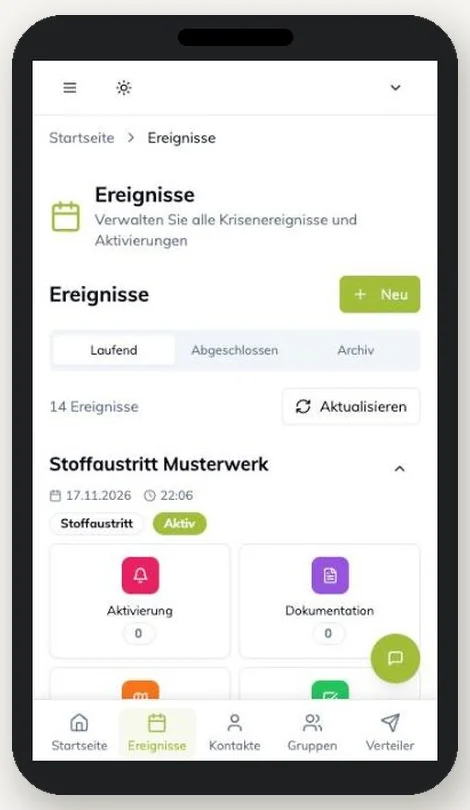
Demo tenant, demo data
Preparation
Crisis manual and CrisisSteward
The crisis manual is available digitally in the platform. The AI assistant CrisisSteward answers questions about its content, even in the middle of a situation.
- Edit, regenerate and publish sections
- Versions and PDF export
- Import existing documents
- CrisisSteward answers questions about the manual
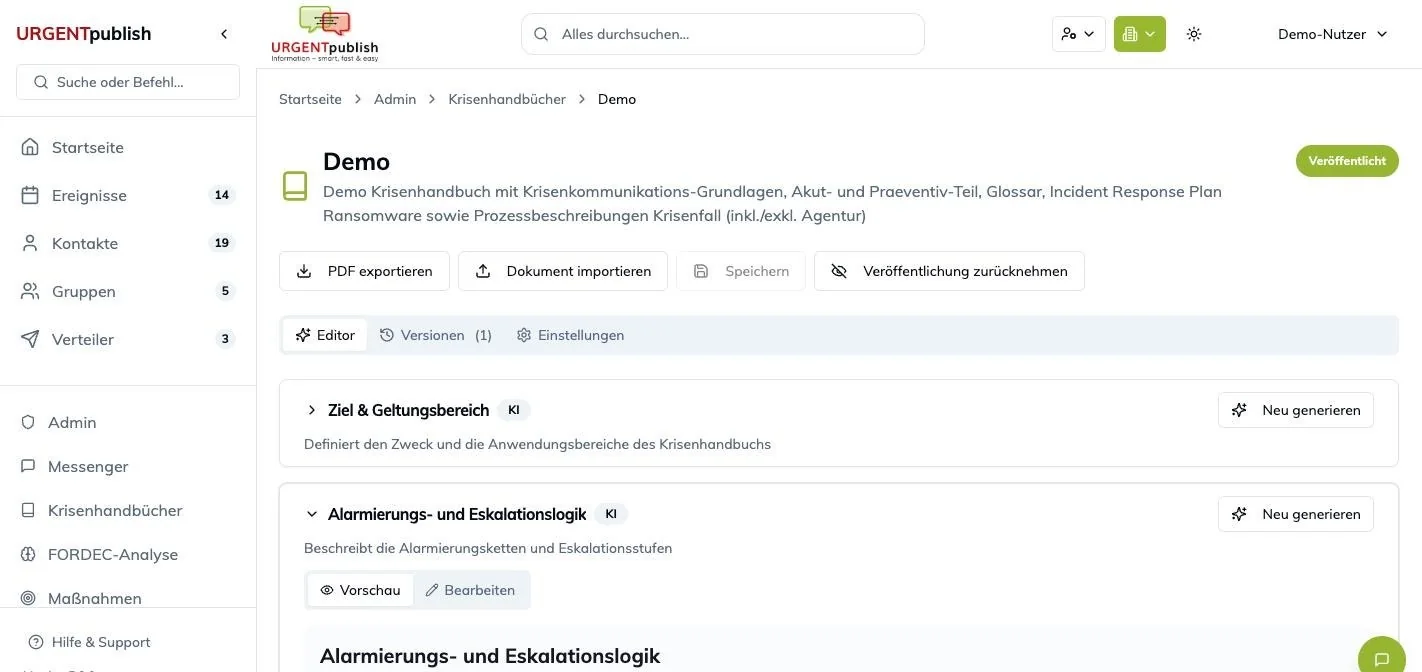
Demo tenant, demo data
All other features in detail, from mobile use to approval logic: Feature overview
Ready for the first hour?
We show you the platform using an example scenario from your industry, with demo data.